INTEGRATIONS / HUBSPOT
HubSpot CRM integration.
Connect HubSpot to your product, website and back-office tools so leads, deals and customer context stay accurate without manual updates or duplicate records.
WHY CRM INTEGRATIONS DRIFT
Most CRM problems are ownership problems wearing a data problem's clothes.
A CRM only stays useful when the people using it trust what they see. That breaks down when the website, the product and the finance system each hold a slightly different version of the same customer and nobody knows which record is current.
We connect HubSpot around explicit rules: which system creates a contact, which one changes lifecycle stage, which one owns deal value and what happens when two edits arrive at once. The result is a CRM that reflects the operation instead of lagging behind it.
How we design and buildWHAT WE CONNECT
The commercial events worth keeping in sync.
Start with the handoffs that cost the most time or create the most mistrust, then extend the integration as the workflow settles.
Lead capture & routing
Send website enquiries, quote requests and campaign responses into HubSpot with the source, consent and context needed to act on them.
Deals & pipeline
Keep deal stage, value and owner aligned with what is actually happening in the product or delivery process.
Custom objects & operations
Model the records HubSpot does not hold natively — projects, sites, orders or subscriptions — without forcing them into a poor fit.
Deduplication & hygiene
Apply matching rules, normalise values and prevent the slow accumulation of duplicate companies, contacts and stale properties.
WHERE THE CRM STOPS REFLECTING REALITY
When the team keeps a second list, the integration is already failing.
These are the patterns where a HubSpot connection usually removes meaningful manual work.
Enquiries and quotes
Form submissions arrive by email, get copied into the CRM later, and lose the campaign or product context that made them useful.
Product usage signals
Account activity that predicts renewal or expansion sits in the application while the CRM only knows what was last typed into it.
Sales-to-delivery handoff
The deal closes, then the same information is re-entered into project, finance or support systems with slight differences.
Multi-system customer view
Support, finance and sales each hold part of the relationship, and nobody can see the whole account without asking around.
HOW WE APPROACH IT
Make the workflow clear before the software gets complicated.
We start with users, operations and outcomes, then design the smallest coherent system that can grow with the business.
Define the objects
Agree which HubSpot objects and properties carry real operational meaning, and which are noise that should not be synced.
Set ownership per field
Decide which system is authoritative for each value, including lifecycle stage, owner, deal value and consent.
Handle identity carefully
Match on stable identifiers, not email addresses alone, and design for merges, renames and companies with several contacts.
Monitor and correct
Track sync failures, surface conflicts and make it straightforward to fix a record without a developer or a data export.
RELEVANT WORK
Experience behind the recommendation.
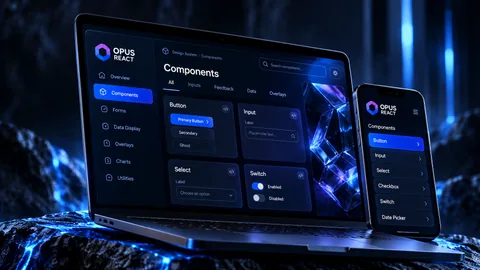
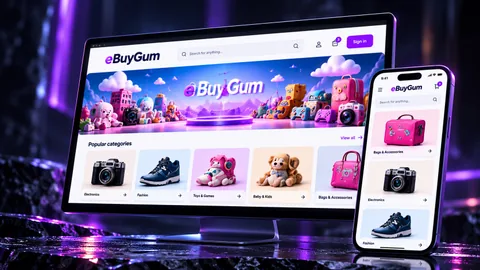
Selected work showing the same kind of product, workflow or platform thinking in practice.
RELATED EXPERTISE
Connected problems usually need connected thinking.
These related capabilities often sit alongside the work on this page.
EXPLORE
API & systems integration
The core integration capability behind CRM, finance and operational connections.
View capability EXPLOREWorkflow automation software
Connect the steps around a lead, quote, approval or handoff so they stop relying on memory.
View capability EXPLORECustomer portal development
Give customers a controlled place to manage their own account and information.
View capabilityCOMMON QUESTIONS
Useful things to know.
Are you replacing HubSpot or integrating with it?
Integrating. HubSpot is good at commercial context and pipeline visibility. The work is making sure the rest of the operation feeds it accurately rather than asking the sales team to maintain it by hand.
Should we build a private app or a marketplace app?
A private app is usually the right starting point for one organisation's workflow. A marketplace listing only makes sense if the integration is a product you intend to support for other companies, with the review and support obligations that follow.
How do you stop two systems overwriting each other?
By assigning ownership per field and treating the other system's value as read-only. Where two-way editing is genuinely needed, we add conflict detection and a visible resolution step rather than letting the last write win silently.
Can historical data be imported?
Yes, but it should be reviewed first. Importing years of duplicates and inconsistent stages into a clean CRM tends to recreate the problem the integration is meant to solve.
What about marketing consent?
Consent and subscription status need to travel with the contact, not be inferred from a form submission. We keep the lawful basis and opt-in state explicit in the data model and respect it when syncing.
Who will I work with?
Kinetic Axis projects are senior-led. Discovery, product decisions and engineering direction stay close to the people doing the work, with direct communication throughout the project.
What happens after launch?
The post-launch model is agreed around the product. Handover, hosting responsibilities, documentation, monitoring, support and further development can be planned before release so there is a clear next step.
WORKING WITH KINETIC AXIS
Senior thinking stays close to the work.
Good delivery is not just the build. It is making the important decisions visible, agreeing responsibilities early and keeping the product useful after launch.
Direct technical and product input
Discovery, design and engineering decisions stay close to the people doing the work rather than passing through layers of account management.
Clarity before commitment
We work through users, workflows, integrations and risk before turning a broad idea into a technical commitment.
Responsibilities agreed up front
Handover, hosting, support, documentation and ongoing development are discussed as part of the project rather than left until launch week.
Useful after launch day
Decisions are made with maintainability, real users and future change in mind — not just how the first release looks in a presentation.
START A CONVERSATION
Is the CRM drifting away from how the business actually works?
Tell us what needs to connect, where the data lives and what the successful workflow should look like.